Example of Analysis — Grassland condition in the Central Kgalagadi Game Reserve, Ghanzi, Botswana
The Central Kalahari Game Reserve, which occupies a large area in central Botswana, could support both wildlife and San communities. Although there are large open grasslands, much of the Game Reserve is covered by semi-arid shrub savanna and scrub.
This example shows how to use LandMetric to assess whether grassland is degrading, using Biomass Carbon, Rain Use Efficiency, and Bare Soil Fraction as indicators.
1. Select the Area of Interest
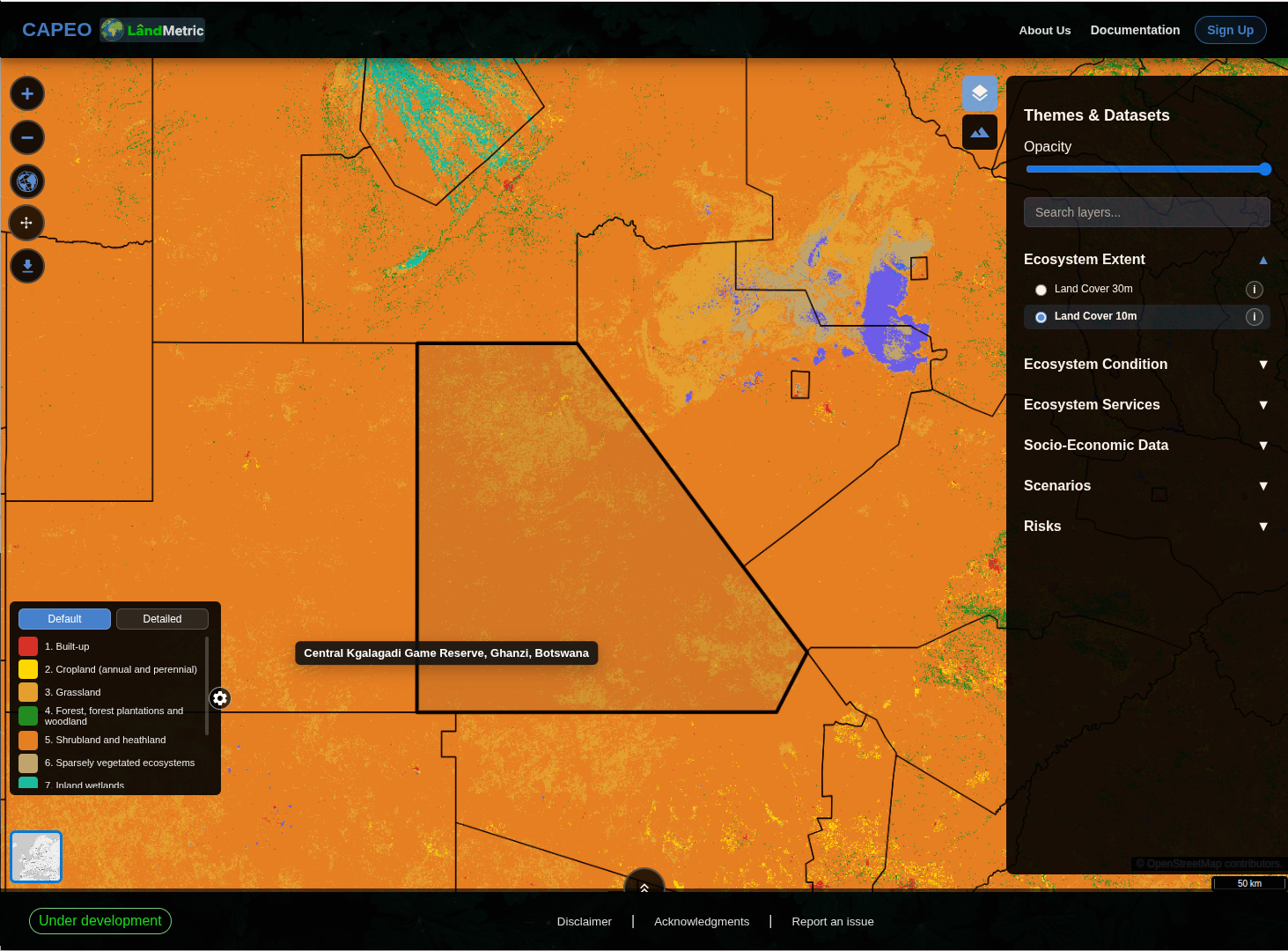
Select the Land Cover 10 m layer by clicking the tile on the top right-hand side, and then click Ecosystem Extent to establish the underlying raster map that provides the thematic data. This layer only provides data for 2020. Another land cover layer, Land Cover 30 m, has a coarser resolution, so use the finer-resolution Land Cover 10 m layer as a reference to distinguish between grassland and shrubland.
To locate this area, select Vector layers on the top right and click District under Administrative Boundaries (GAUL). This will display district-level administrative boundaries on top of the thematic map.
Hover the mouse over the district for a few seconds to see the administrative names. As shown in the image below, the legend indicates shrubland in orange and grassland in light orange.
2. Explore the Three Indicators on the Map
Four layers can be used as indicators to show changes in the grassland: Aboveground Biomass Carbon Stock, Biomass Carbon Storage, Rain Use Efficiency, and Bare Soil Fraction.
To display these layers, type keywords into the search box to locate the relevant data layer directly. You can adjust the Opacity setting above the search box to change the transparency of the layer.
Using the Rain Use Efficiency layer as an example, type the keyword rain in the search box and select this layer to display the data. Since we have already located the Central Kgalagadi Game Reserve, the raster layer will be displayed for this area of interest. 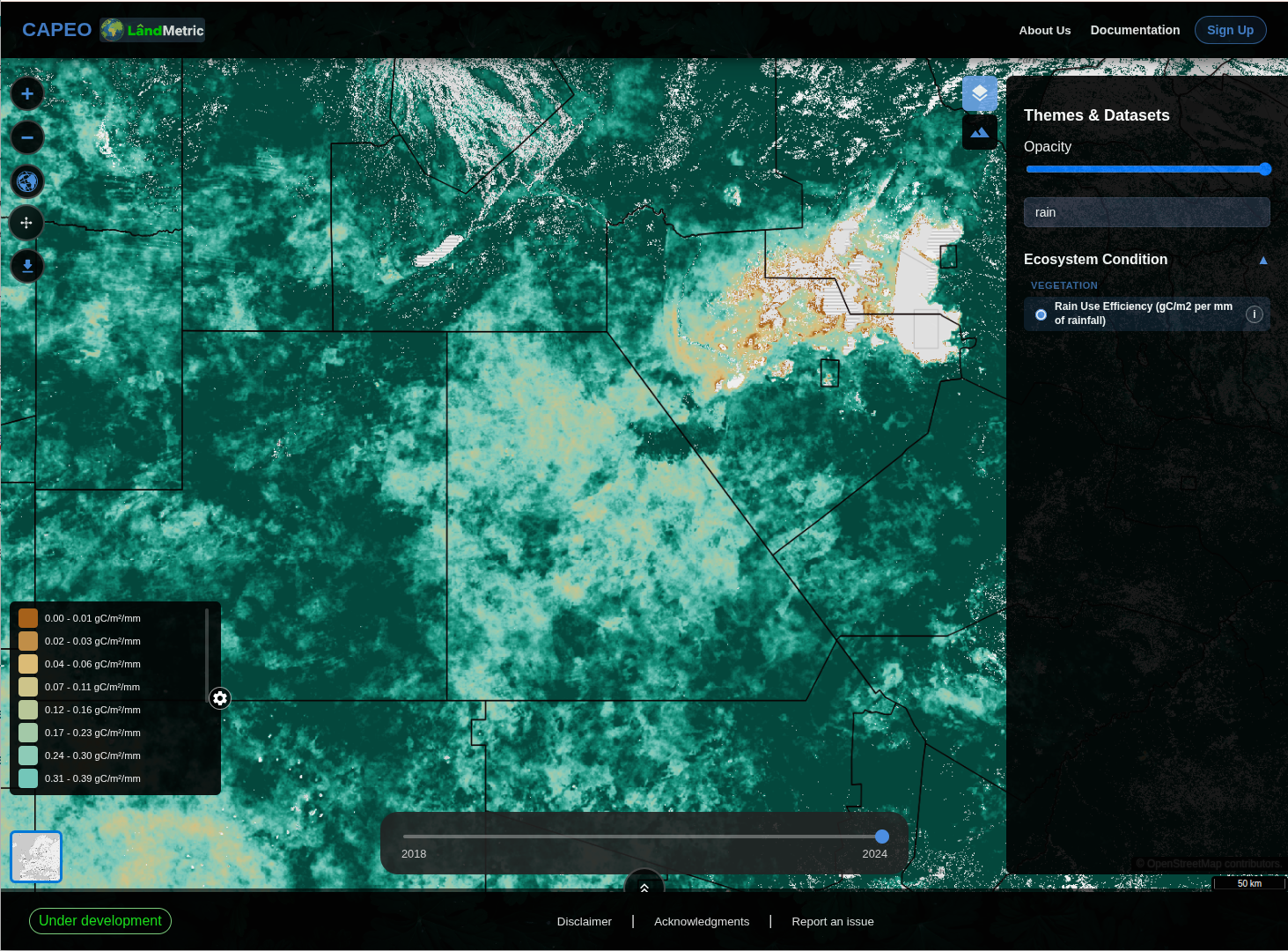
3. Analyse Change with Point Query
We use the map tools to perform the analysis. The tile  on the left-hand side provides access to various statistical and trend-analysis tools. Click on this tile
  .
.
Select a point of interest. You can then switch between different layers to view the indicators for this point.
Using the Land Cover 10 m layer as a reference, we can see that this point is classified as grassland. 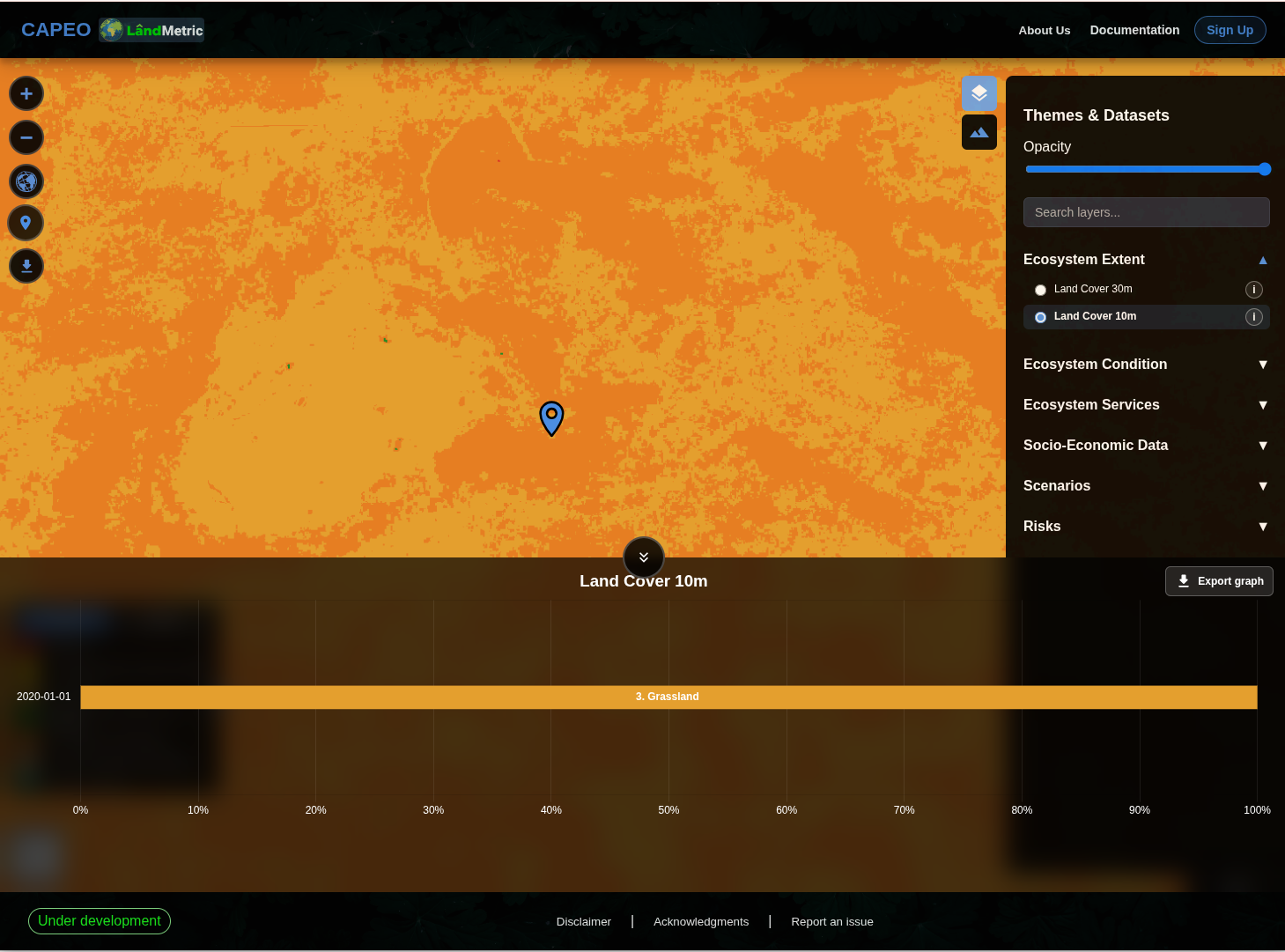
First, select Aboveground Biomass Carbon Stock as the first indicator. The legend is shown at the bottom left, while a time slider appears at the bottom center. You can move the time slider to view aboveground biomass carbon values from 2005 to 2024.
Aboveground biomass carbon is low in this area, with values ranging from 0 to 21.3 tC/ha. As a result, the area appears white according to the legend, making the layer difficult to see. However, by clicking the icon  , you can view the trend analysis and choose either a bar chart or line chart to display the trend in different formats.
Hover the mouse over a point on the trend line to see the corresponding value and year. You can also click Export graph to download the trend-analysis image for use in other documents.
Overall, the aboveground biomass carbon shows a decreasing trend over the years. 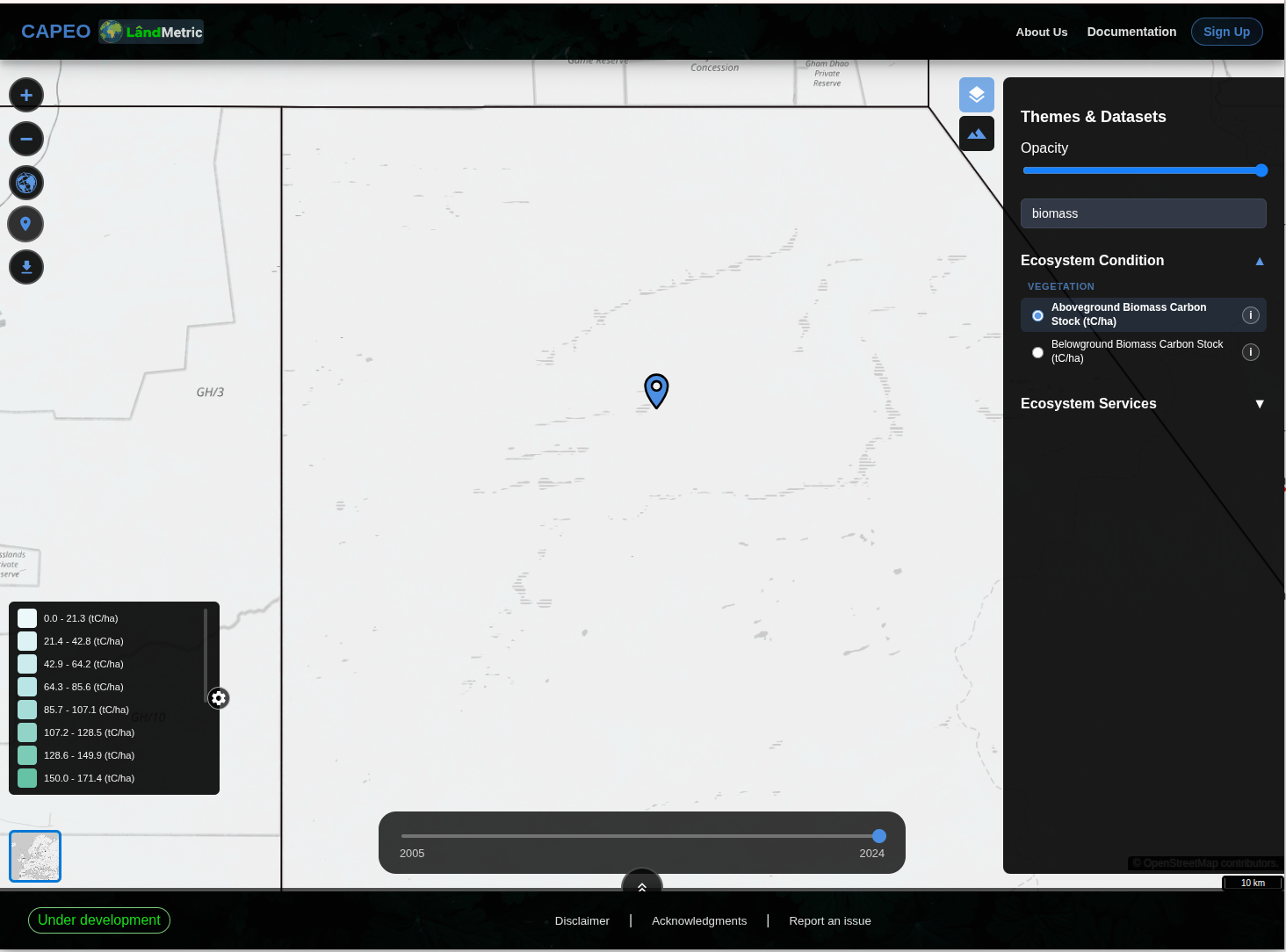
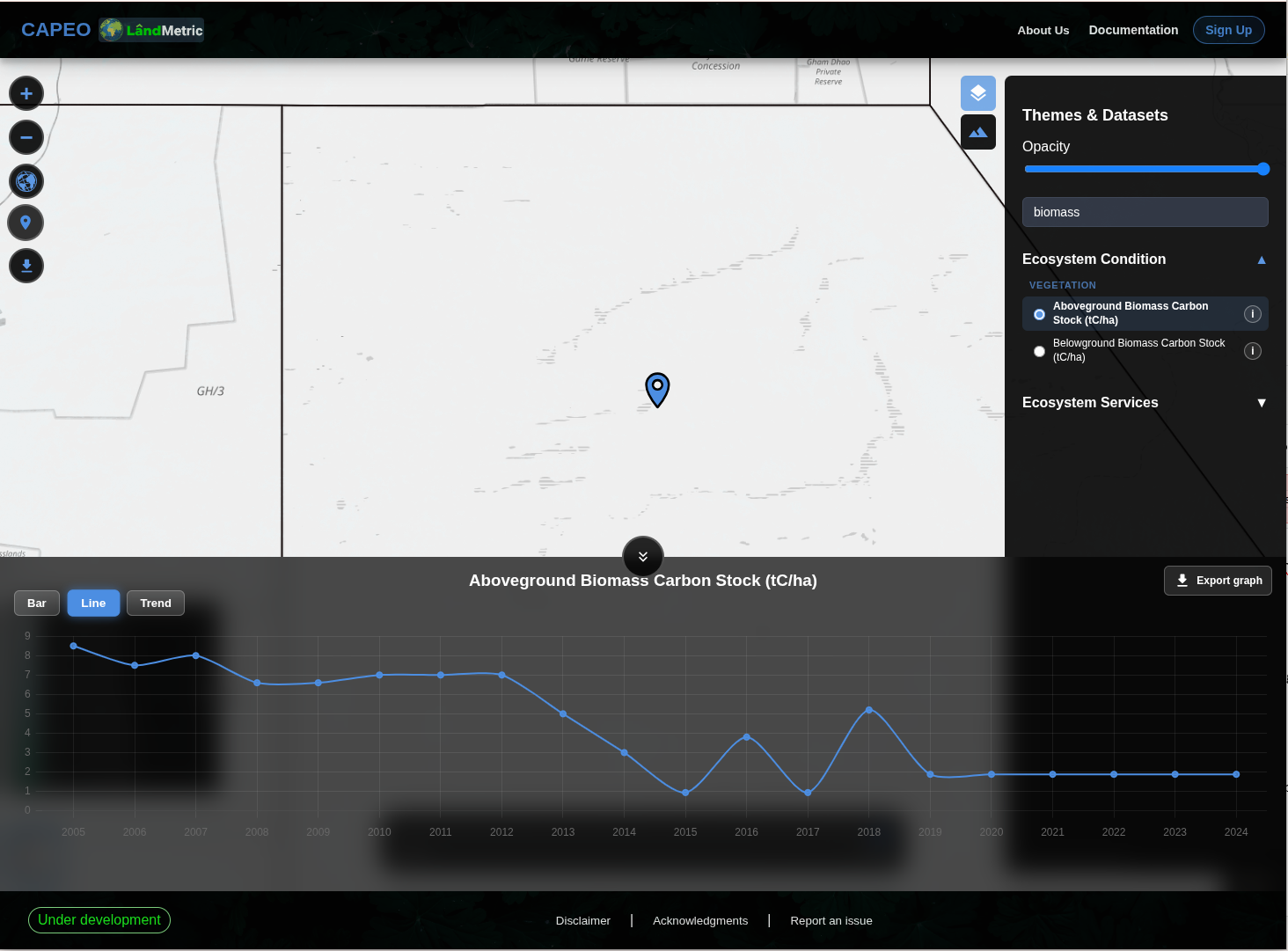
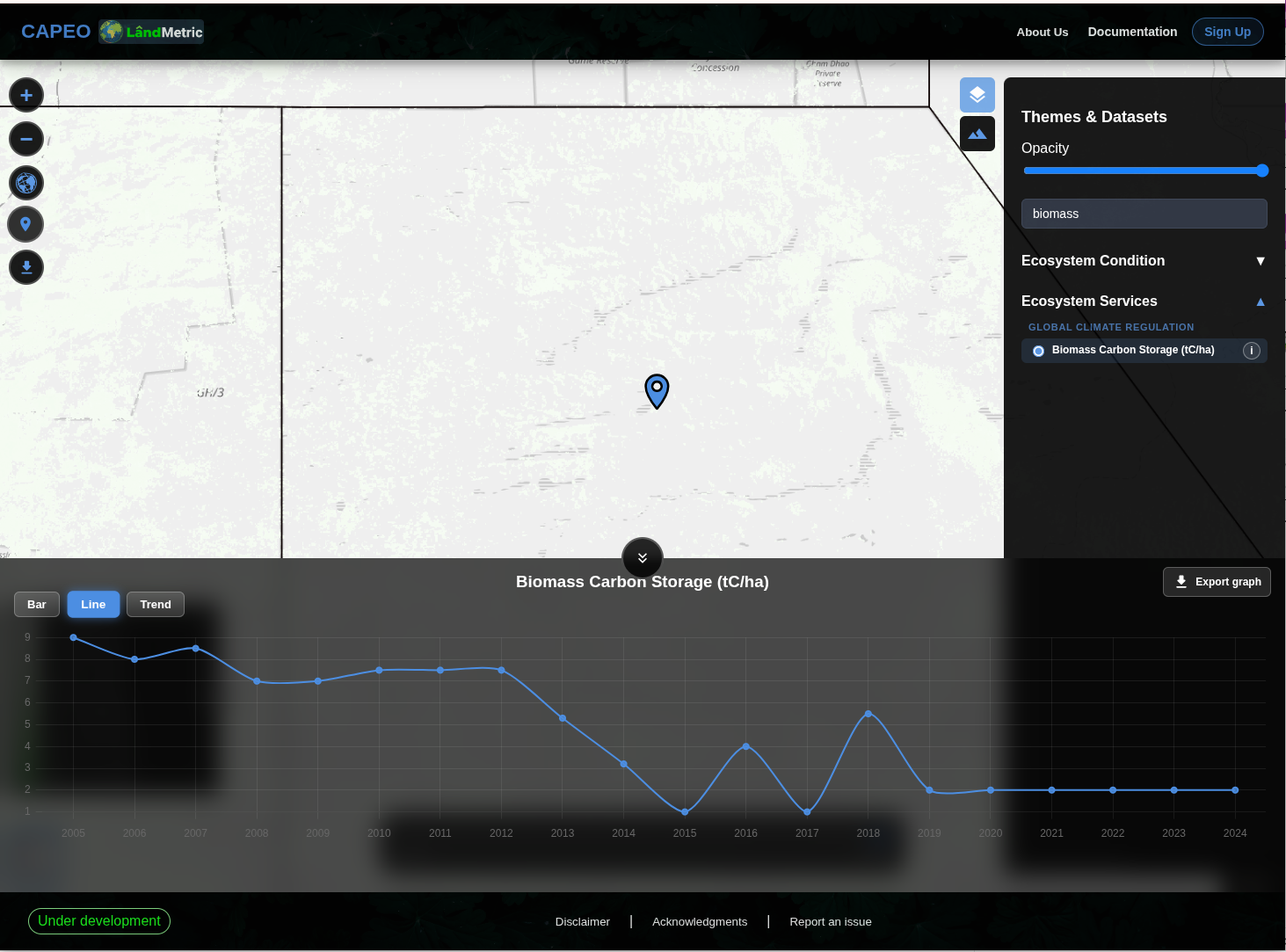
Next, switch to the Biomass Carbon Storage layer. Biomass Carbon Storage is the sum of aboveground biomass carbon, belowground biomass carbon, litter carbon, and deadwood carbon. Therefore, this layer shows a trend similar to that of aboveground biomass carbon, with an overall decrease. 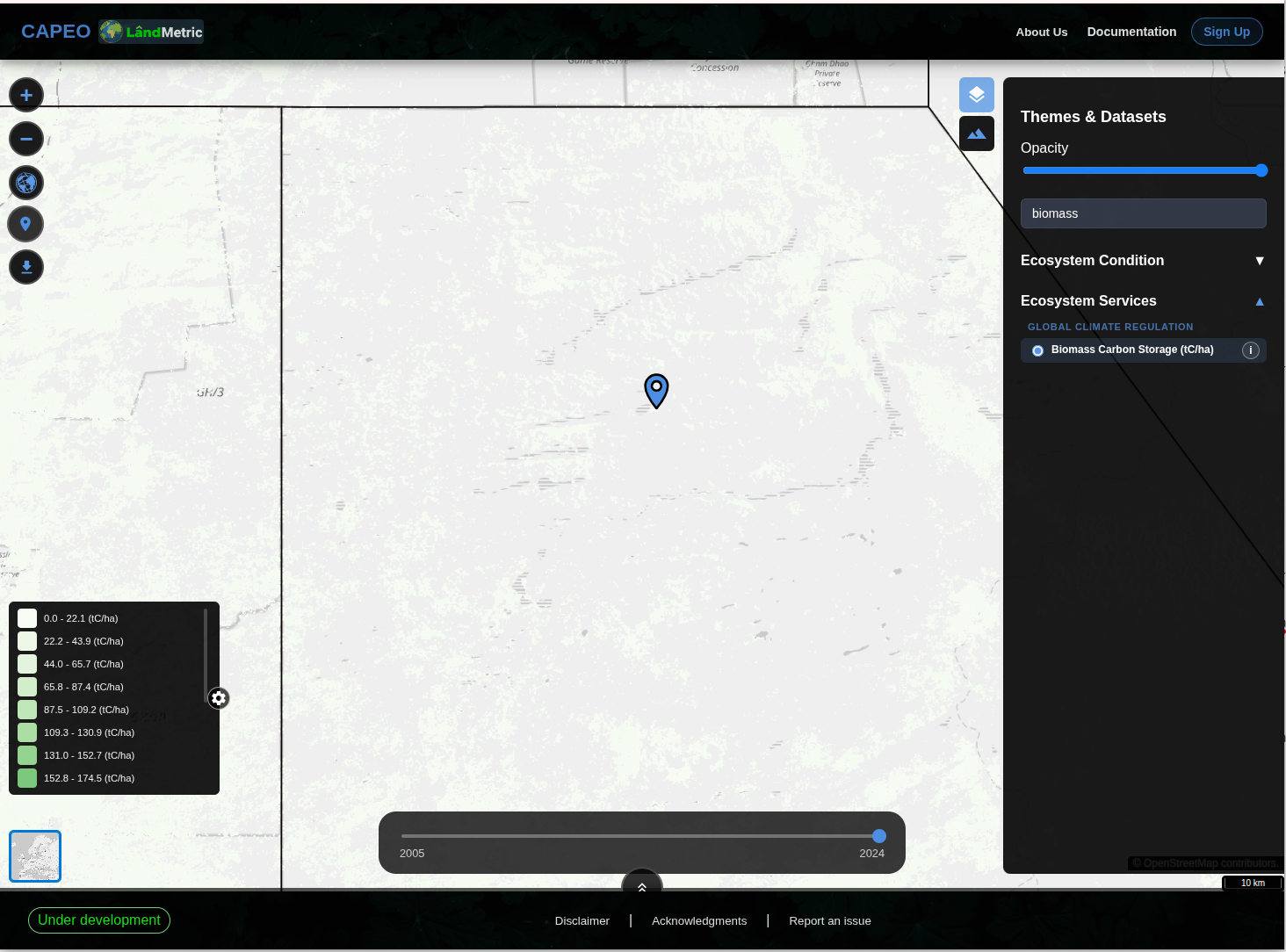
Next, switch to the Rain Use Efficiency layer. This layer only includes data from 2018 to 2024, and the values fluctuate over this period. 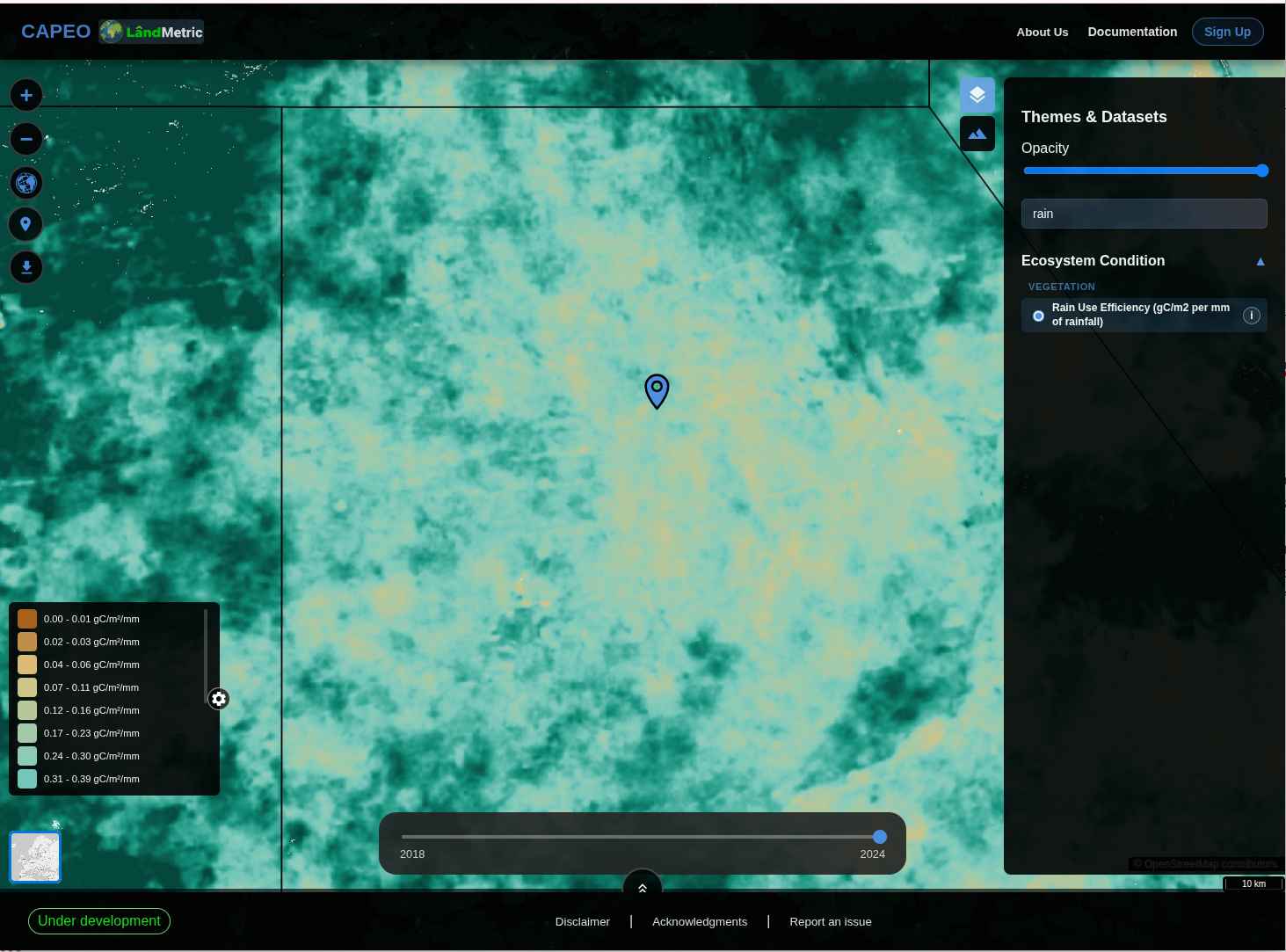
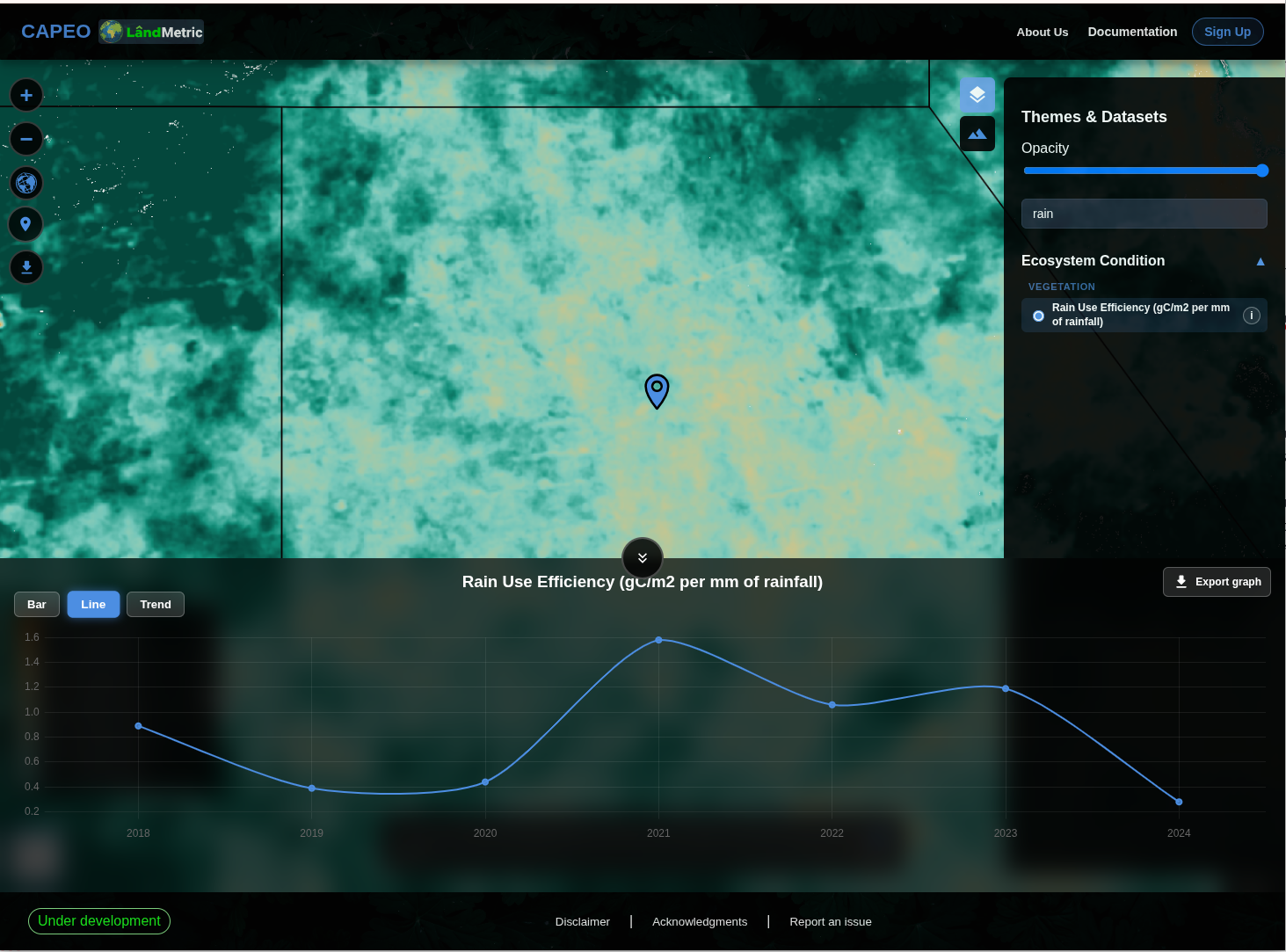
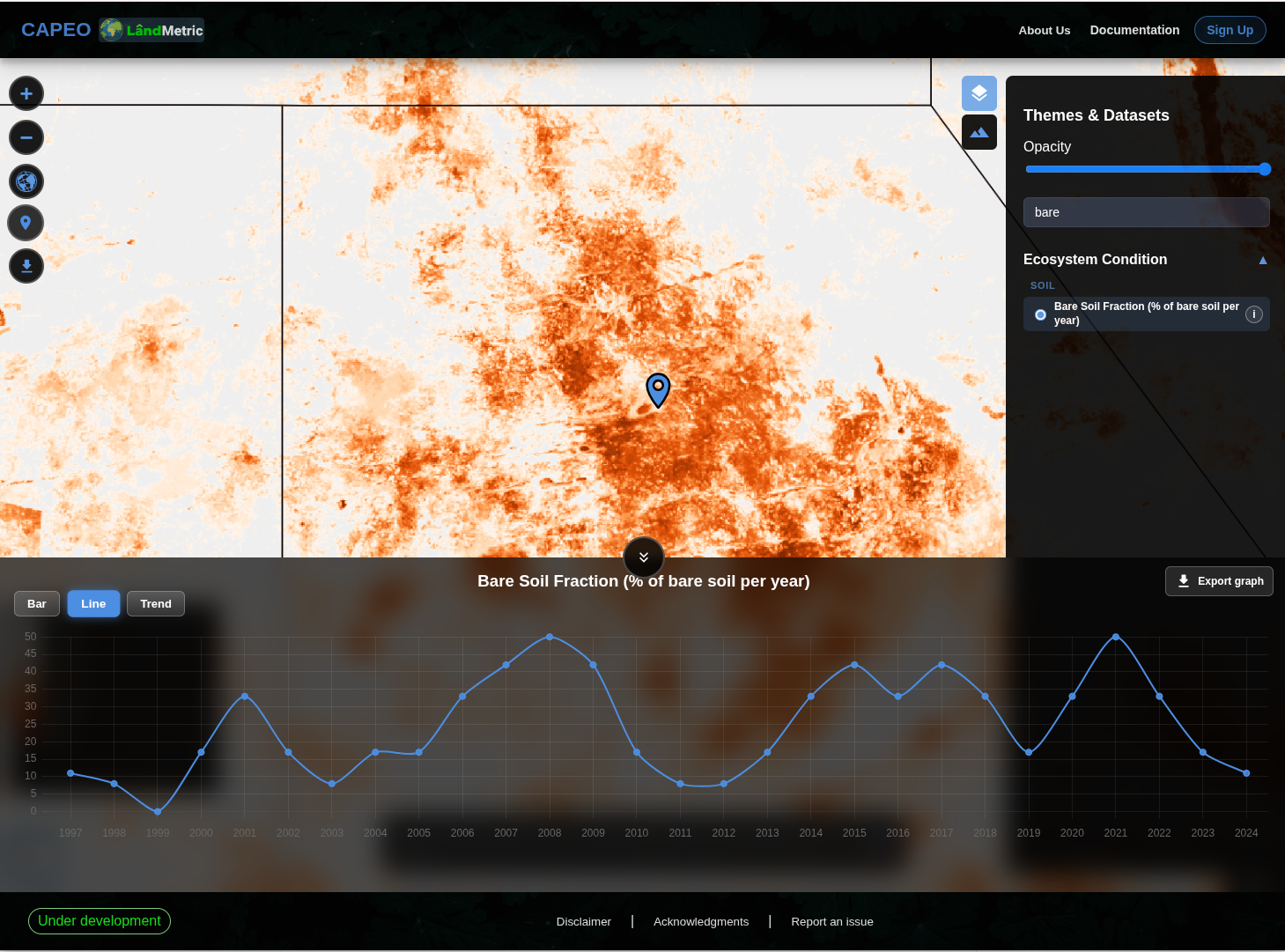
Finally, switch to the Bare Soil Fraction layer. This layer shows trends from 1997 to 2024. The values also fluctuate over time, but a higher bare soil fraction indicates more bare soil and less grassland. 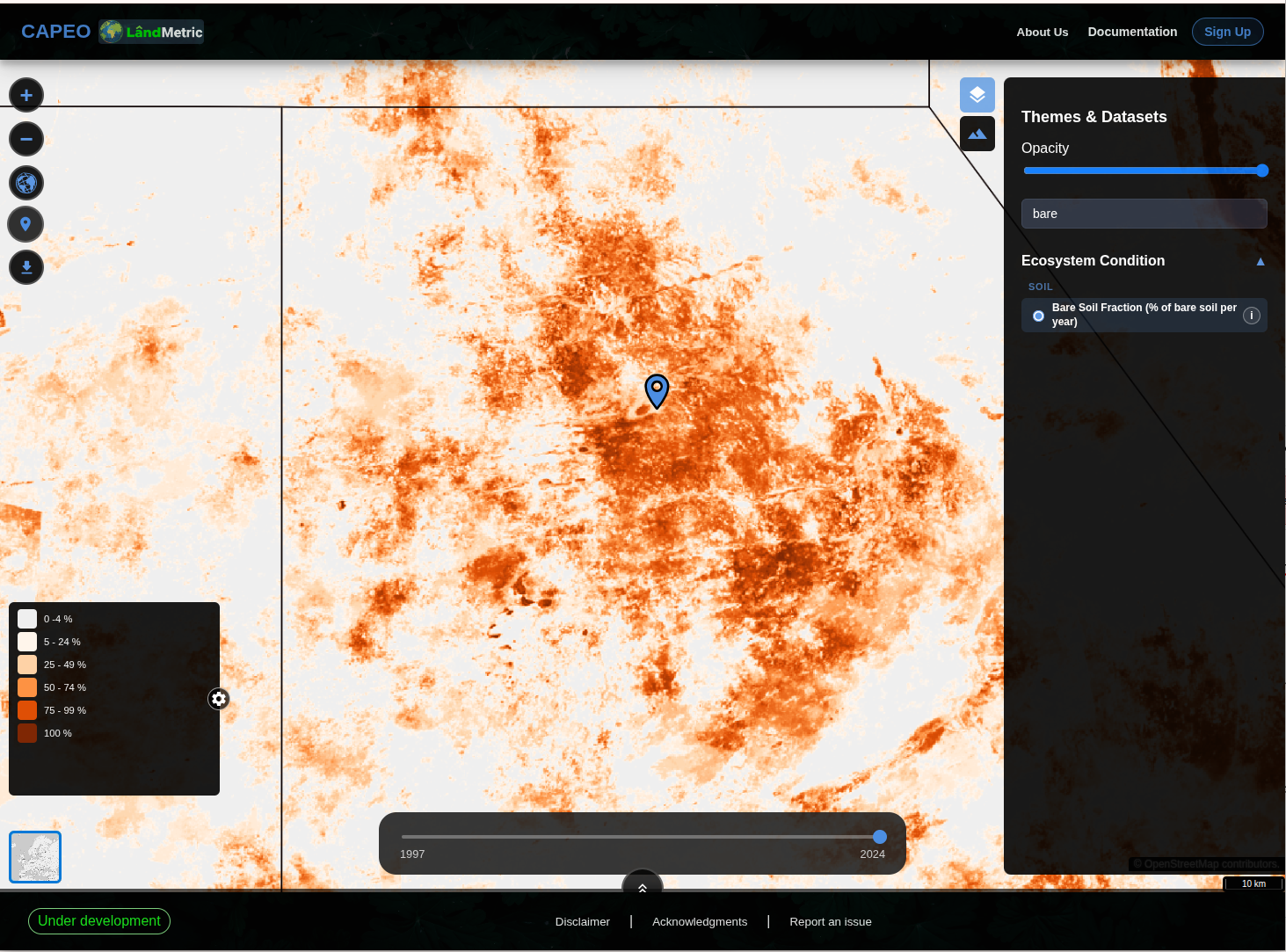
4. Alternatively, Analyse whole district
Instead of selecting a single point, you can also analyse the entire district. Click the Select Area tile  in the map tools. You can then switch between different layers to display their data.
Similar to the previous step, the trends make it easier to see changes in these indicators across the district. 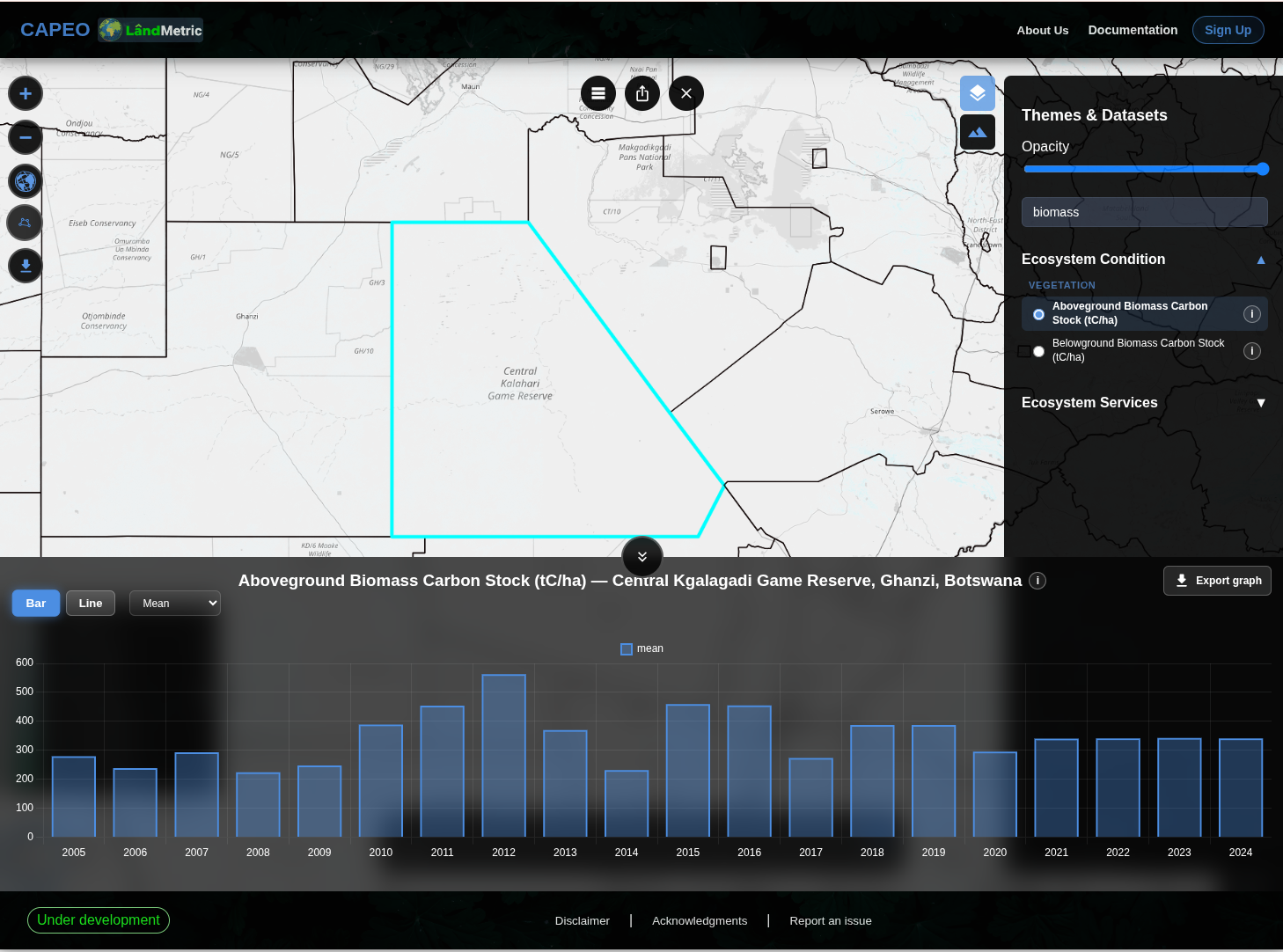
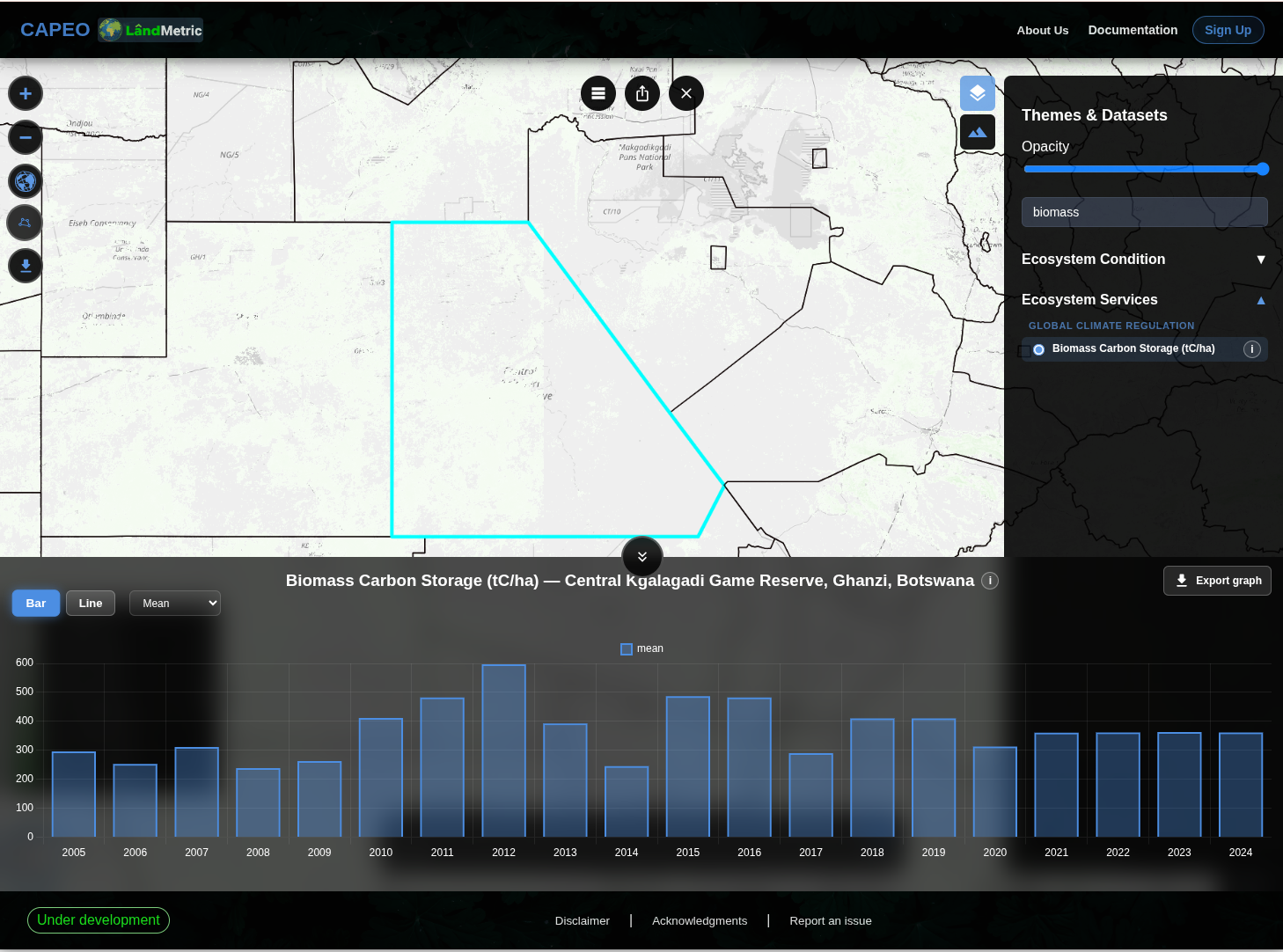
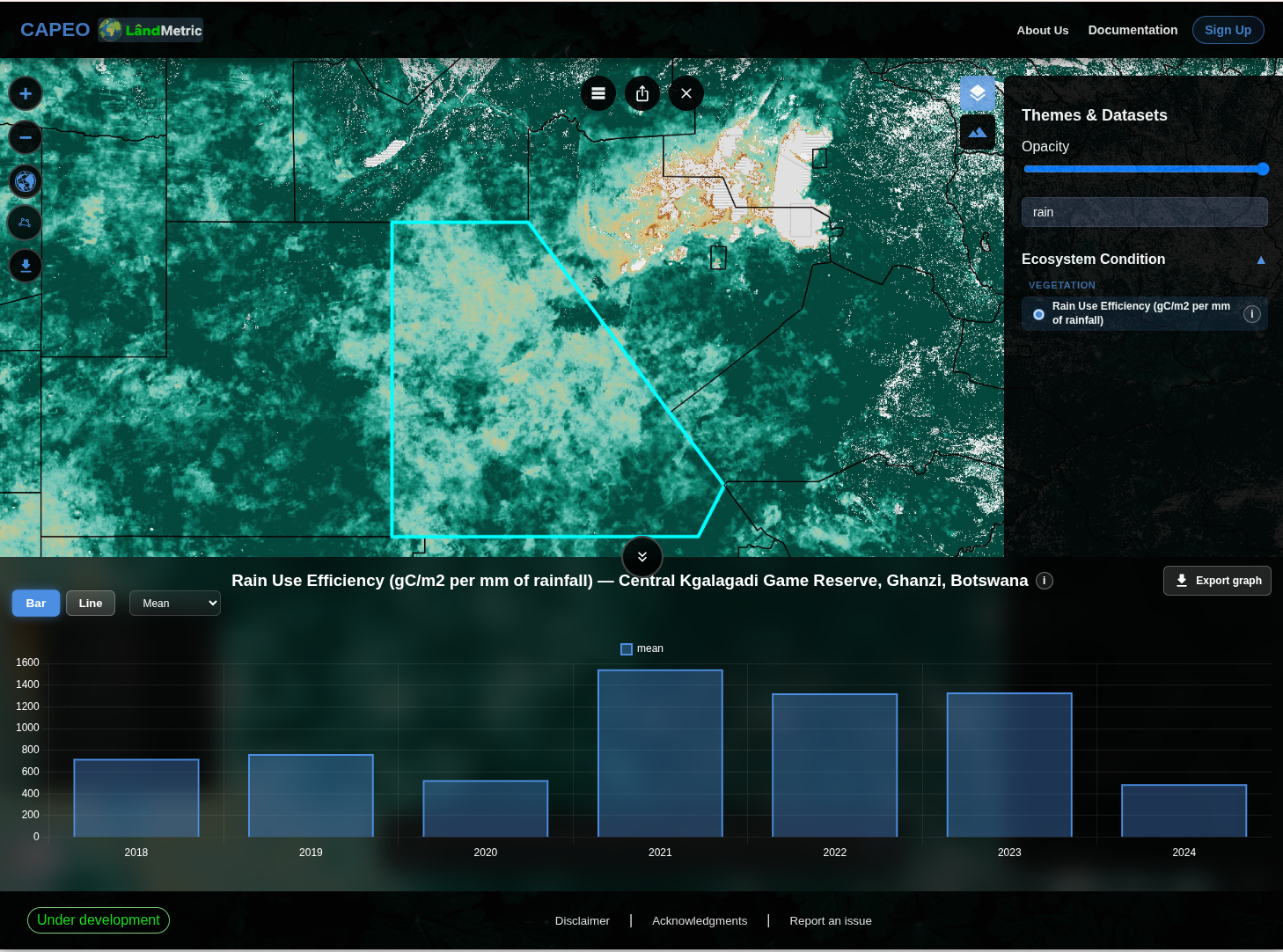
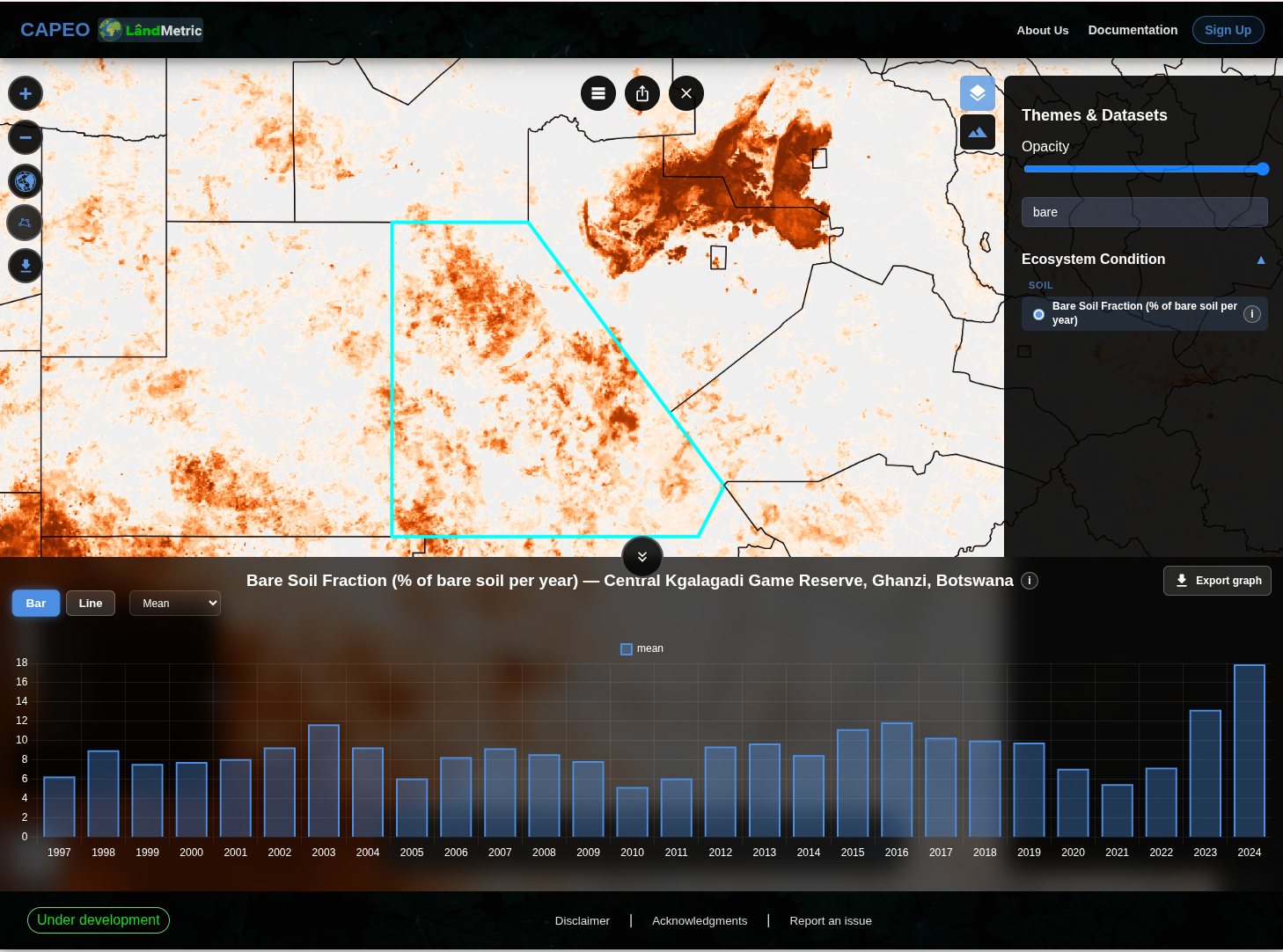
5. Validate with Esri Wayback
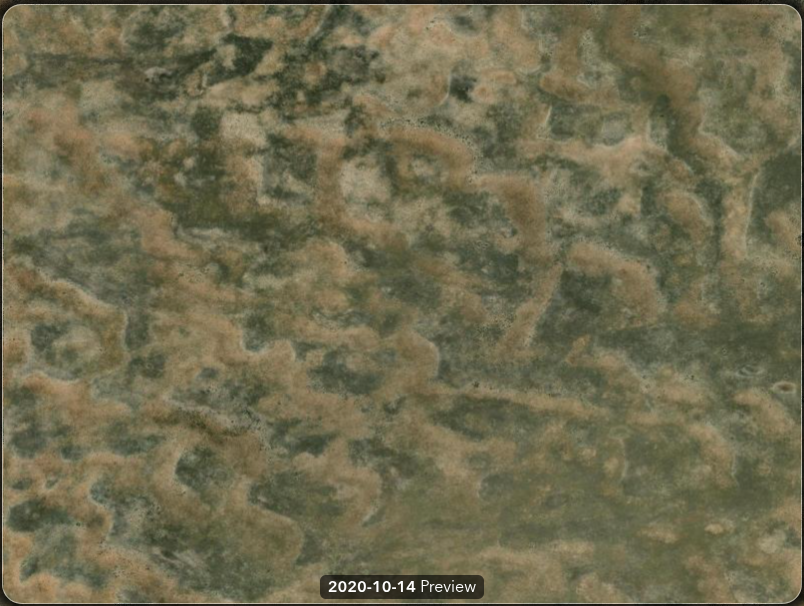
Click the Esri Wayback button to open historical satellite imagery for the same location and zoom level. This button can be found on the left hand side, and looks like: 
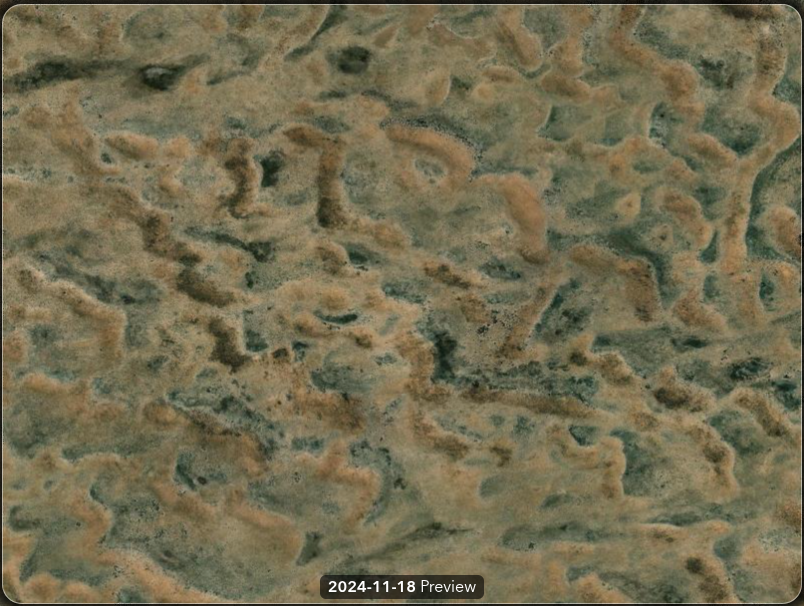
Compare imagery from 2020 and 2024 to independently assess the observed transition from grassland to shrubland.
| 2020 imagery | 2024 imagery |
|---|---|
 |  |